About
Notification System
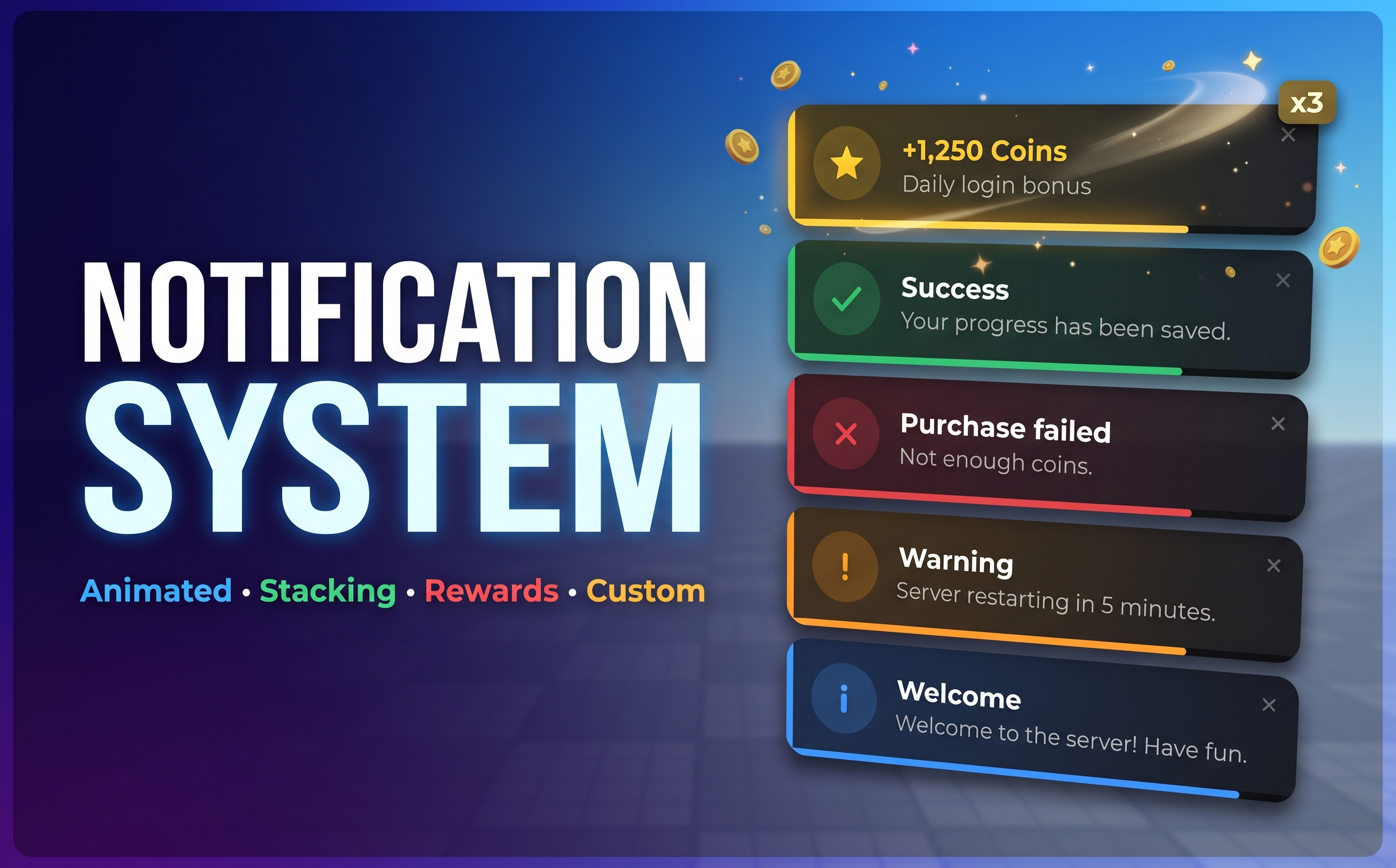
A clean, reusable notification framework for your Roblox game. Show animated popups for anything (saves, purchases, errors, rewards, quests, level-ups) with one line of code.
Features
- Animated popups. They slide in, fade out and pop slightly on hover, with a countdown bar on each one.
- Six built-in types. Info, Success, Error, Warning, Reward and Custom, each with its own color and icon.
- Reward notifications. A shine effect and spinning star, and rewards of the same currency add up automatically (
+250and+250show as +500 Coins). - Custom messages. Set your own title, text, icon (a symbol or an image) and color, and add new types like Quest or Achievement in the config.
- Smart stacking. Up to 5 popups on screen, and the rest move smoothly into place. When it's full, the oldest closes or new ones wait in a queue.
- No spam. If the same message comes in again, the existing popup gets an x2, x3… badge instead of a new one appearing.
- Interactive. Hovering pauses the timer and clicking dismisses. Sticky popups stay until clicked, and live popups can be updated (for example a progress percentage).
- Server and client API. Notify one player, a list of players or the whole server from a Script, or show popups locally from a LocalScript.
- Any corner. Top-right, top-left, bottom-right or bottom-left.
- Secure by design. Only the server can send notifications to players, so clients can't fake them.
Easy to use
local Notify = require(game.ReplicatedStorage.Notify)

-- From the server
Notify.Success(player, "Your progress has been saved.")
Notify.Error(player, "Not enough coins.", "Purchase failed")
Notify.Reward(player, 250, "Coins", { Message = "Daily login bonus" })
Notify.Warning(nil, "Server restarting in 5 minutes.") -- everyone

-- Your own style
Notify.Custom(player, {
    Title = "Level Up!",
    Message = "You reached level 10.",
    Icon = "▲",
    Color = Color3.fromRGB(170, 120, 255),
})

-- From the client (LocalScript): same functions, without the player
Notify.Success("Item equipped!")
Fully customisable
One Config module controls position, width, how many popups show at once, overflow behavior, colors, fonts, text sizes, corner radius, sounds and every notification type.
What's included
- Notify: the notification module, with config and client loader
- NotifyServer: server loader with license check
- NotifyDemo: shows every notification type when you press Play (Studio only, never in your live game)
- README: installation, full API, all options, customisation and troubleshooting
Installation
- Move the contents of the
ReplicatedStoragefolder into ReplicatedStorage. - Move the contents of the
ServerScriptServicefolder into ServerScriptService. - Paste your license key into
NotifyServer > License. - Turn on Game Settings > Security > Allow HTTP Requests.
- Press Play.
Requirements
- "Allow HTTP Requests" turned on (for the license check)
- A license key from your library at shop.tpinteractive.de/library
Code preview
local Notify = require(game.ReplicatedStorage.Notify)

-- Server: pass a player first (or a list of players, or nil for everyone)
Notify.Success(player, "Progress saved!")
Notify.Error(player, "Not enough coins", "Purchase failed")
Notify.Reward(player, 250, "Coins", { Message = "Daily bonus" })
Notify.Custom(player, { Title = "Level Up!", Message = "Level 10", Icon = "▲", Color = Color3.fromRGB(170,120,255) })

-- Client (LocalScript): same calls without the player
Notify.Success("Equipped!")
Reviews
No reviews yet.